Spliting cell values into seperate rows

Hi,
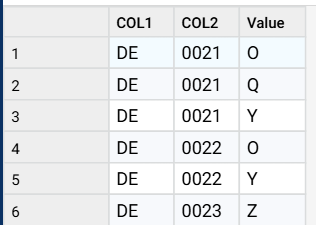
I am looking for a quick (I hope) solution. I have example data on the left. I want to split the 3rd column into separate rows to get what is on the right side. Is there an easy way to do it?
Thank you very much in advance for your help!
DE | 0021 | OQY | DE | 0021 | O | ||
|---|---|---|---|---|---|---|---|
DE | 0022 | OY | DE | 0021 | Q | ||
DE | 0023 | Z | DE | 0021 | Y | ||
DE | 0022 | O | |||||
DE | 0022 | Y | |||||
DE | 0023 | Z |
Answers
-
-
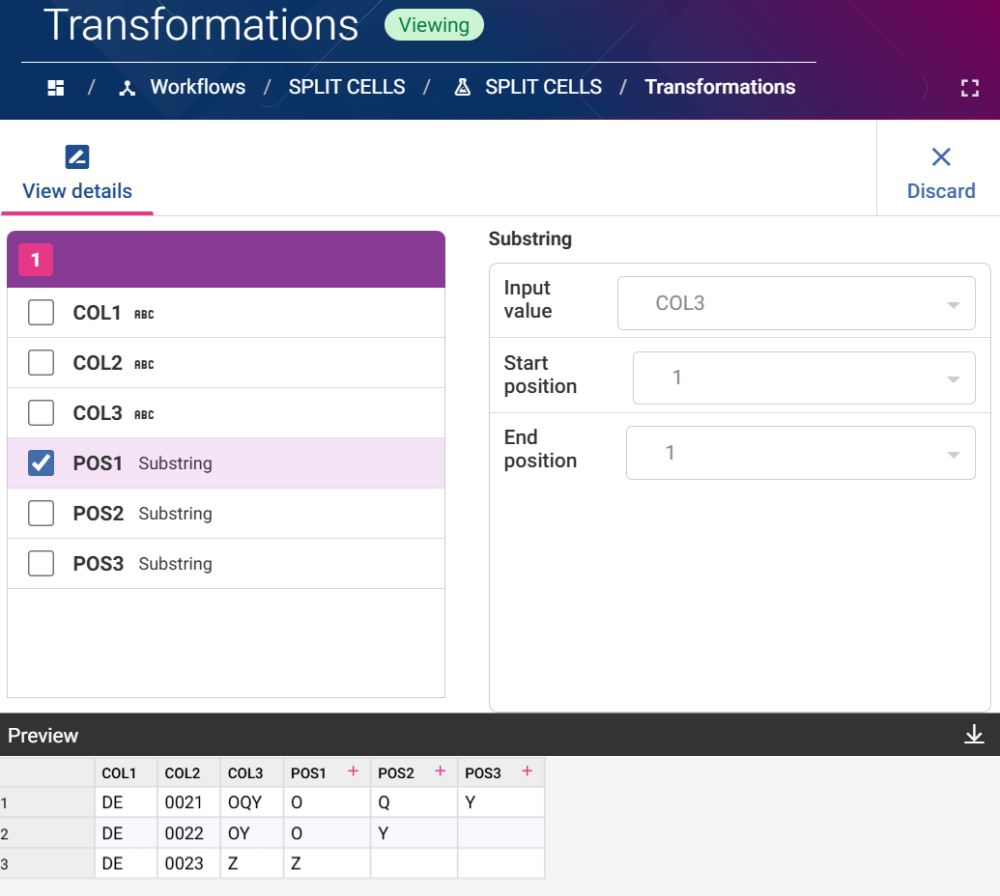
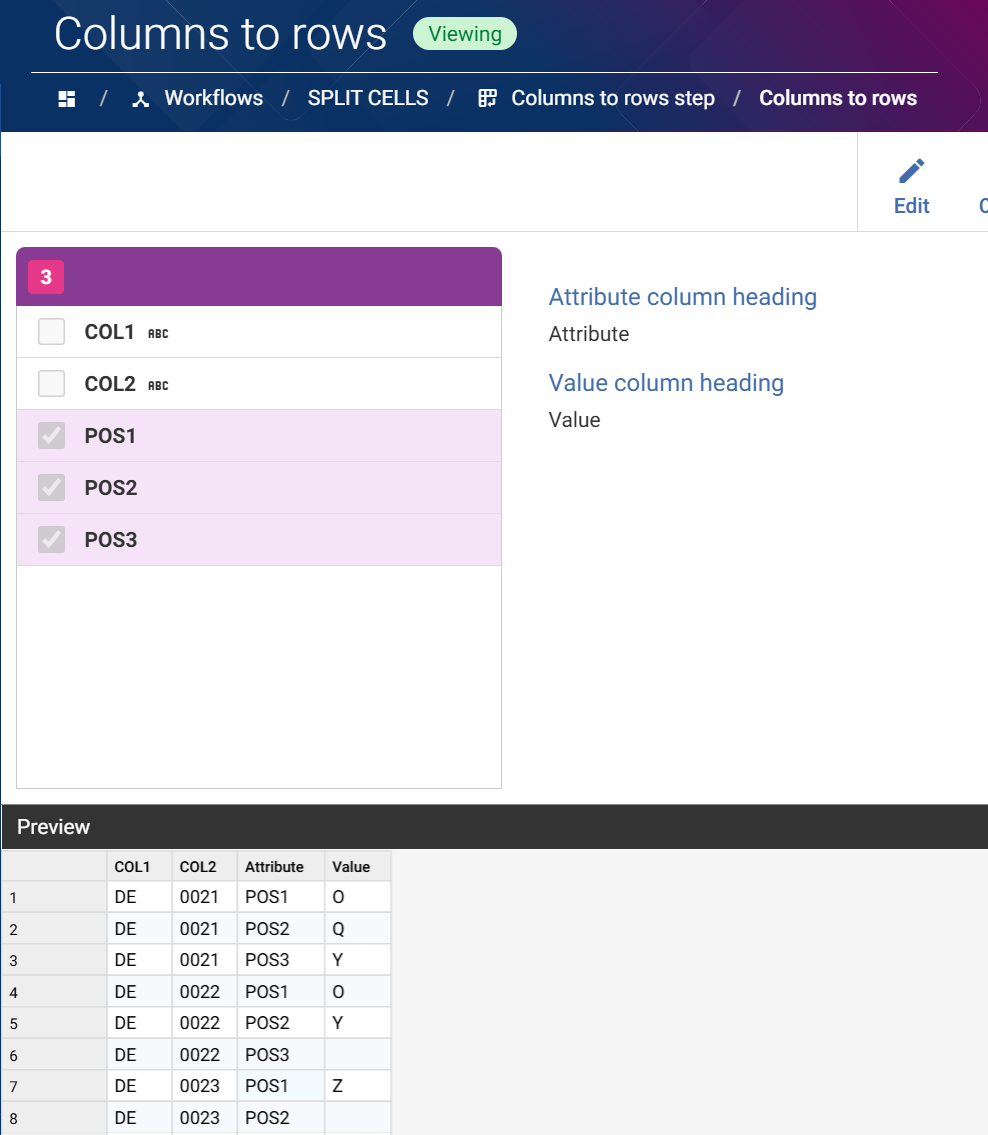
I did this by splitting the 3rd column (OQY etc) into separate columns. Then I used the columns to rows function.
2 -
Hi @James T Sidebotham ,
Thank you for the answer. Are you able to tell em how exactly did you split it using what parameters? Thank you very much in advance!
0 -
Do you know the maximum number of characters that could be in the third column?
If the answer is 3 then copy the column twice using a transform step and use the Substring Function to extract the 1st, 2nd or 3rd character depending on the column (will be null if there is no character)
Then use columns to rows workflow step and James suggests
0 -
-
Thank you both. The highest one I found would be 6 characters. I assume I just replicate these steps but for a higher number of columns. Thank you again for the help :)
1