Levenshtein distance between 2 strings

Hello,
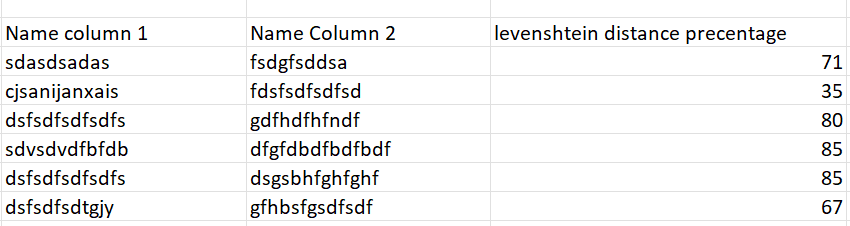
I have 2 datasets, each has a Name Column but these datasets dont have a common ID column that I can join them together.
I want to use the function "levenshtein distance precentage" to find potential matches between those name columns.
I would be grateful for any suggestions if this can be done in Aperture. Thank you
Answers
-
Actually calculating the Levenshtein distance percentage is straightforward in Data Studio as there's an existing native function for it:
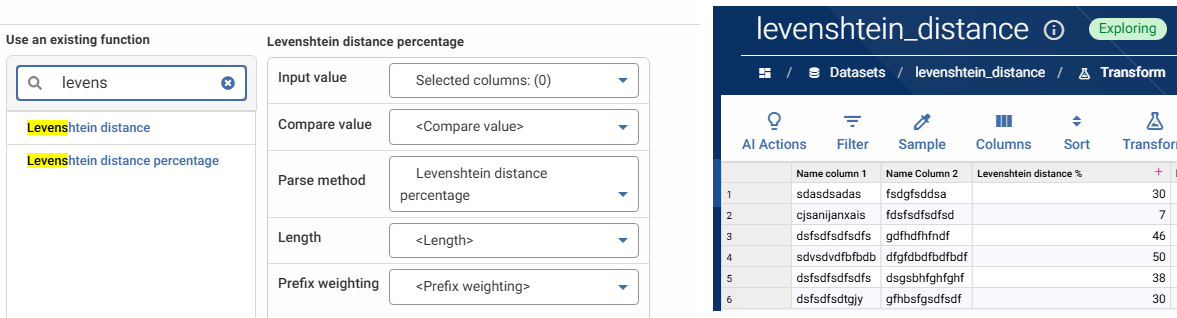
So I understand your question to be around how Levenshtein distance percentage value might actually be used in matching logic to determine if names are similar?
Using a single function is going to be a blunt tool. The Levenstein function returns the edit distance between two strings expressed as a percentage - how many character insertions, deletions and substitutions it takes to turn one value into the other, relative to the length of the values. That makes it a measure of string shape, not of name identity, and the consequence is that the same percentage means very different things for different pairs.
Value 1
Value 2
Levenshtein distance %
Same entity?
ACME SERVICES LIMITED
ACNE SERVICES LIMITED
95%
Probably yes: Single typo
ACME HOLDINGS LIMITED
APEX HOLDINGS LIMITED
86%
No: Score inflated by the shared 15-character tail
CATHERINE
KATHERINE
89%
Probably yes
SMITH
SMYTH
80%
Probably yes
J SMITH
JOHN SMITH
70%
Probably yes but scores below SMYTH-style typos
JON
JAN
67%
Coin toss: One edit in a 3-character string costs 33%
SEAN
SHAUN
60%
Yes, phonetically identical but Levenshtein can't see it
JOHN SMITH
SMITH JOHN
0%
Yes but reordering destroys the score entirely
LI
LU
50%
Almost certainly no
Given this, you're likely going to want to standardise string values before scoring, some of which will be context specific, so it would be useful to know what the "Name" here is - Business name / Forename and Surname / Product name, or something else. The sorts of things you might want to do before scoring strings include:
- Remove legal suffixes (LTD/LIMITED/PLC/INC) from organisation names
- Replace / standardise common phonetic matches (Sean / Shaun), eg using Jaro-Winkler
- Standardise units eg 1000g, 1kg
- Standardise common short-form names eg Robert / Bob
Data Studio's Aperture Match module does a lot of this standardisation and parsing, as well allowing you to create performant custom match rules using multiple comparators including Levenshtein and Jaro-Winkler.
2 -
Hi @Simms, Henry . Thank you for your answer. Lets say both of my datasets have 10000 records. I would like the Levenshtein distance to compare each record with each records and find the ones that are the most probable match. I dont want it co compare just what's in row 1 to each other. Sorry if my initial description was lacking. Please let me know if there is a way to do it. Thanks!
0 -
Thanks for clarifying!
To compare every row to every other, you'd first apply a cartesian join:
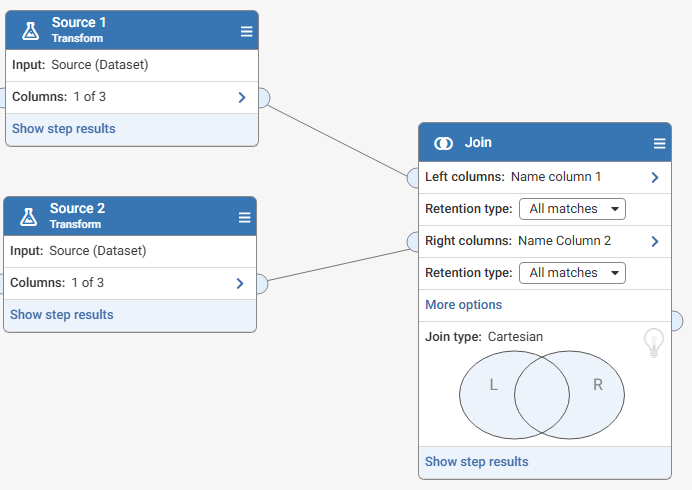
Which will have the effect of joining each value in column 1 to all values in column 2. In my example below, 6 rows in source 1 and 6 rows in source 2, the output of the Cartesian join is 36 rows to which the levenshtein function can be applied:
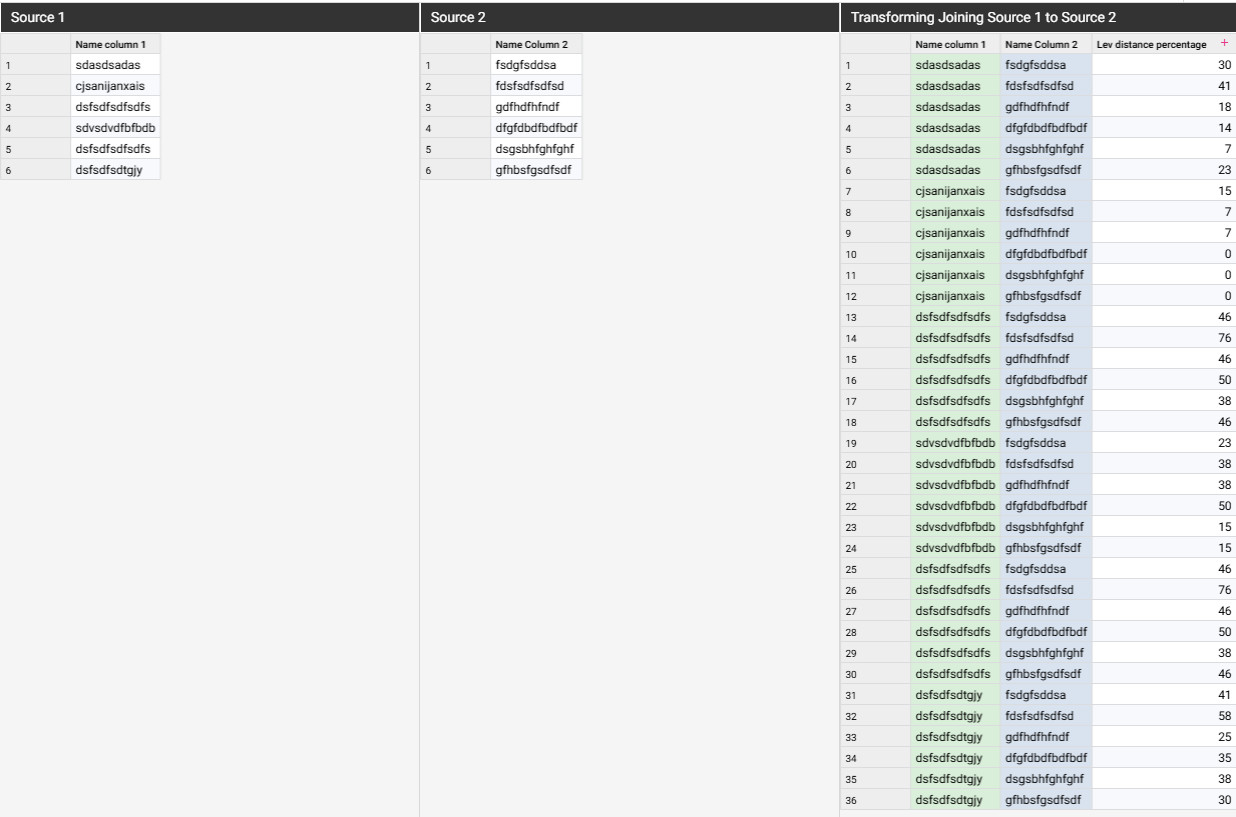
This approach will be very inefficient for 10k x 10k values, resulting in 100 million comparisons! Aperture Match uses a 2-stage matching approach with blocking key to reduce the number of records to compare by filtering out records that are unlikely to match
1
