Using replace for exact value

Hi,
I have a simple question (I hope). I have a column that have multiple different values. Out of the 2 values are 'PC' and 'PCE'. I am using the replace function the convert 'PC' into 'PCE'. However it takes the PC part form the already existing PCE and makes PCEE. Any advice how to make the replace step take the exact value and not part from the other. I want to avoid the PCEE.
PC | PCE |
|---|---|
PC | PCE |
PC | PCE |
PC | PCE |
PCE | PCEE |
PCE | PCEE |
Below is the replace sequence I am trying to make
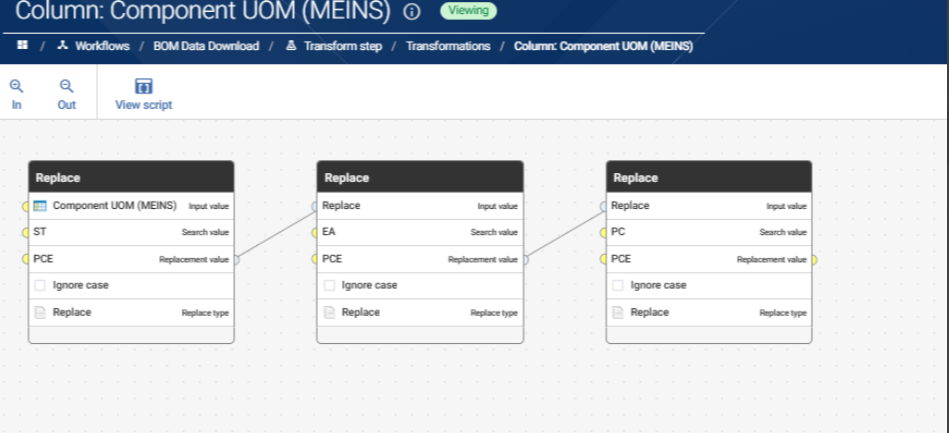
Answers
-
A few different ways to solve, but simplest would be to just Replace PCEE back to PCE
Could filter and split the records do the find and replace and union back together
Could use a Replace Matches lookup function
Could use RegexReplace function
0 -
Doing an If Then Else to only replace if the value Equals "PC", EA" etc would also be an option but for simplicity I used the AI function generator to ask for a regex function that only replaced exact strings:
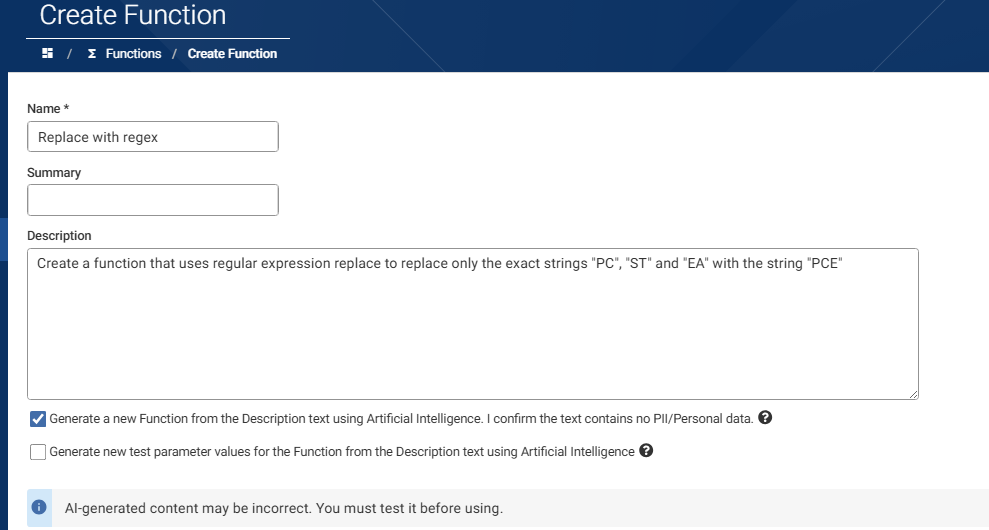
Output from this was a working function:
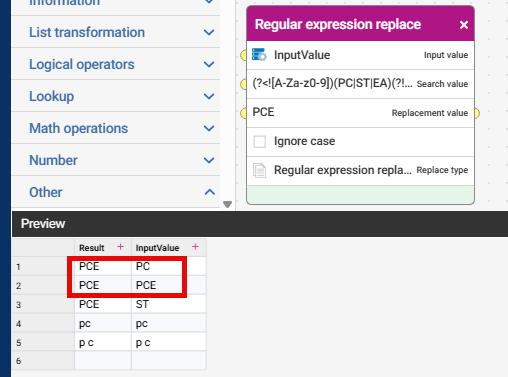
But I didn't like the regex all that much, because of the unnecessary use of negative lookahead and lookbehind to check if the string was an exact match. It looked inefficient although it does allow for leading and trailing whitespace, which you may want:
(?<![A-Za-z0-9])(PC|ST|EA)(?![A-Za-z0-9])So I refined the prompt to ask it to use word boundaries to define the start and end of the value, and it produced a regex that was more suited to my needs:
\b(PC|ST|EA)\b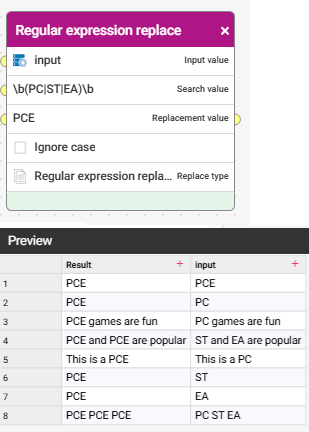 1
1