Allow dashboard items to be inserted in between other items

What problem are you facing?
We have a number of data quality dashboards that are used by our data consumers. These each contain around 20-30 datasets/views showing the records that have failed a data quality rule, for users to investigate. Each dataset comes from a different report. To make it easy to scroll up and down and find each report quickly, they are presented in alphabetical order. We sometimes want to change who is responsible for various reports but the current dashboard functionality doesn't allow new datasets to be inserted in between existing datasets; they can only be added at the bottom or put in an empty space left by deleting a dataset. Amending the dashboards is therefore a laborious process of dragging every dataset down to make a space to insert a new one, or dragging every dataset up to fill in the empty space left by deleting one.
What impact does this problem have on you/your business?
Updating dashboards is laborious and takes much longer than it should.
Do you have any existing workarounds? If so, please describe those.
None - we just have to drag all the datasets up and down as described above.
Do you have any suggestions to solve the problem? Feel free to add images if this helps.
Allow empty dashboard rows to be inserted in between existing rows in a dashboard. Ideally, also allow rows to be removed if widgets are deleted to remove white spaces that are left when a dataset is deleted from a dashboard.
Comments
-
It is possible to drag a widget (dataset) between other widgets. Here I am swapping the order of Customer V1 and Customer v1.1.1 which is highlighted in pink with the pink dotted line showing the destination the widget will be moved to:
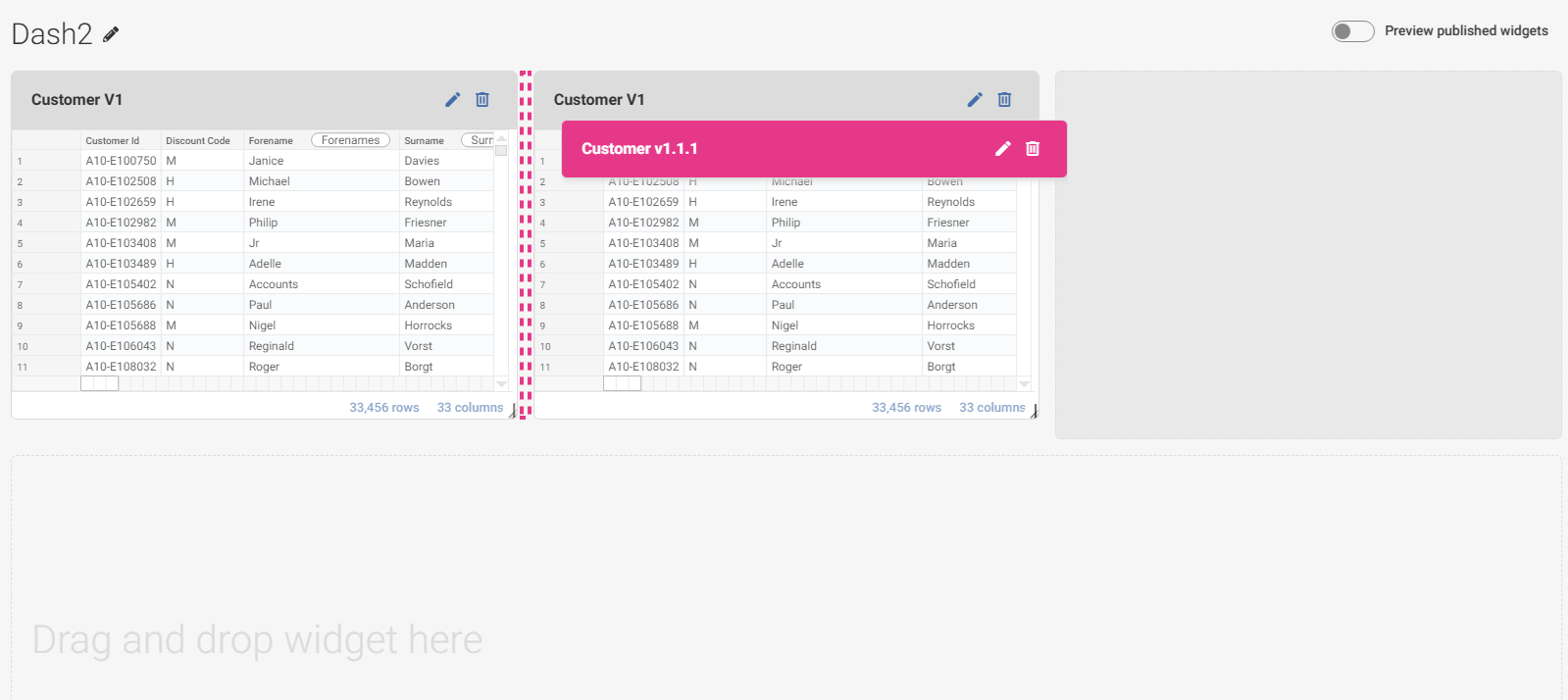
Yes widgets need to be added in a space/slot in the Dashboard, which can be created by deleting or resizing an existing widget. So assuming your widgets/datasets are all full width this makes sense as a request
0 -
Thanks Josh - yes you're right, I'm looking to be able to insert rows of widgets. I've attached a screenshot of a dashboard - we present the datasets one after the other so that users can see most of the columns in the report as they scroll down.
 1
1